For HYROX and DEKA athletes
Stop guessing where you're losing time.
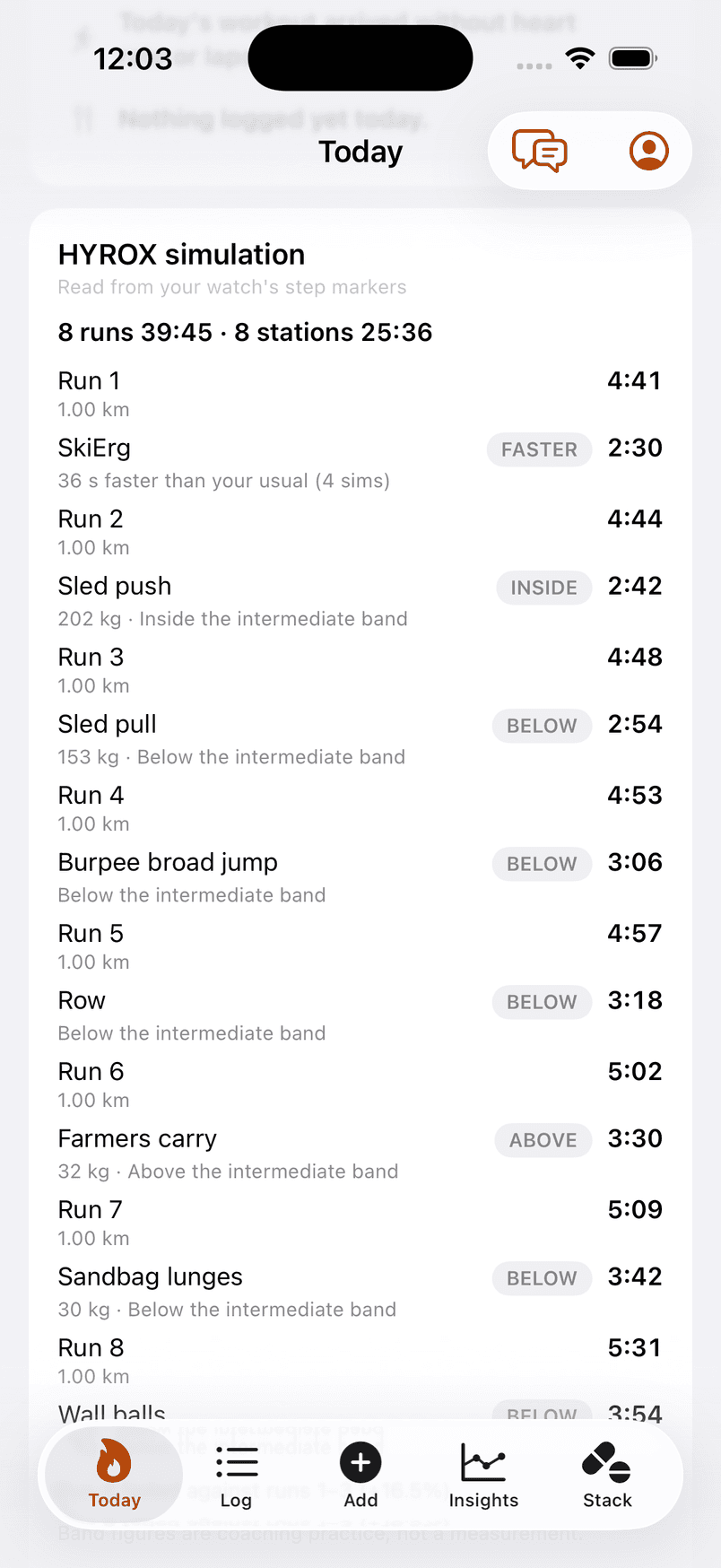
Your watch recorded one long workout. Octane reads it as the race you ran — run by run, station by station — against your own earlier sims, and says whether the late runs held, slowed or faded.
Free on the App Store · 14-day Pro trial · iPhone, iOS 18+
Race decomposition
One recording. Sixteen segments.
A HYROX on a watch is one activity with a lap press at every change. Octane lines those laps up with the session's plan — by the watch's own step markers when Octane sent the session, by the order of your presses when it didn't — and reads each run and each station as its own row.
A simulation, read
Read from your watch's step markers
| Run 1 | 4:41 | |
| SkiErg | 2:30 | 30 s faster than your usual (3 sims)faster |
| Run 2 | 4:44 | |
| Sled push | 2:42 | Inside the intermediate bandinside |
| Run 3 | 4:48 | |
| Sled pull | 2:54 | Faster than the intermediate bandfaster |
| Run 4 | 4:53 | |
| Burpee broad jump | 3:06 | Faster than the intermediate bandfaster |
| Run 5 | 4:57 | |
| Row | 3:18 | Faster than the intermediate bandfaster |
| Run 6 | 5:02 | |
| Farmers carry | 3:30 | Slower than the intermediate bandslower |
| Run 7 | 5:09 | |
| Sandbag lunges | 3:42 | Faster than the intermediate bandfaster |
| Run 8 | 5:31 | |
| Wall balls | 3:54 | Faster than the intermediate bandfaster |
“Run 8 faded against runs 1–3 (+16.5%)”
8 runs 39:45 · 8 stations 25:36
Band figures are coaching practice, not a measurement.
Free: the table. Pro: the comparisons against your own sims and the run-fade line.
How the laps were read
- “Read from your watch's step markers”
- “Read from your lap presses; a 1 km leg confirms the order”
- “Read from your lap presses”
A missed press is expected, not fatal: the read names it — “Two steps share one lap — a press was missed; not read” — keeps the number, and leaves the comparison out. When the laps can't be lined up at all, it says so and reads nothing.
Station analysis
Every station against your own sims.
A station split is read against your own earlier simulations at the same load — never against a leaderboard. It takes three confirmed sims within six months before Octane will say “faster” or “slower”; until then it says “about your usual” or nothing.
The words it uses
- “30 s faster than your usual (3 sims)”
- “About your usual (3 sims)”
- “Inside the intermediate band”
- “Band figures are coaching practice, not a measurement.”
It never ranks a station as a weakness and never says why a split was what it was.
Compromised running
The runs between the stations are the race.
The last run leg is read against the first three. The word is the whole verdict — held, slowed or faded — with the percentage beside it, and nothing about cause.
The run-fade line
- “Run 8 faded against runs 1–3 (+16.5%)”
- “Run 8 slowed against runs 1–3”
- “Run 8 held against runs 1–3”
Where can I find time?
Which segments have room.
The read above says what each segment was. The next engine says which segments have room — ranked by the seconds that are realistically there to find, always as a range, never as a finish projection, never as a weakness. The label says where it stands; the figures below show the shape, not any athlete.
Illustrative figures — the shape of the read, not a read of any athlete.
Target
Sub-70
Last simulation
74:32
- Roxzone0:40–1:10with room
- Runs 5–80:35–1:20with room
- Sled push0:20–0:45with room
- Wall balls0:15–0:45with room
- SkiErg0:05–0:15little room
Across the segments with room, 1:55 to 4:15 over 11 weeks — most of it in the roxzone and the late runs.
- Always a range, never a point.
- Ranked by realistic improvable seconds, never by the slowest segment.
- Doing the work is never promised to produce the seconds.
- The sum is never a race-day projection, and a segment is never a weakness.
A range, never a point. Doing the work is never promised to produce the seconds. The sum is never a race-day projection.
Race results
Your race, on the record.
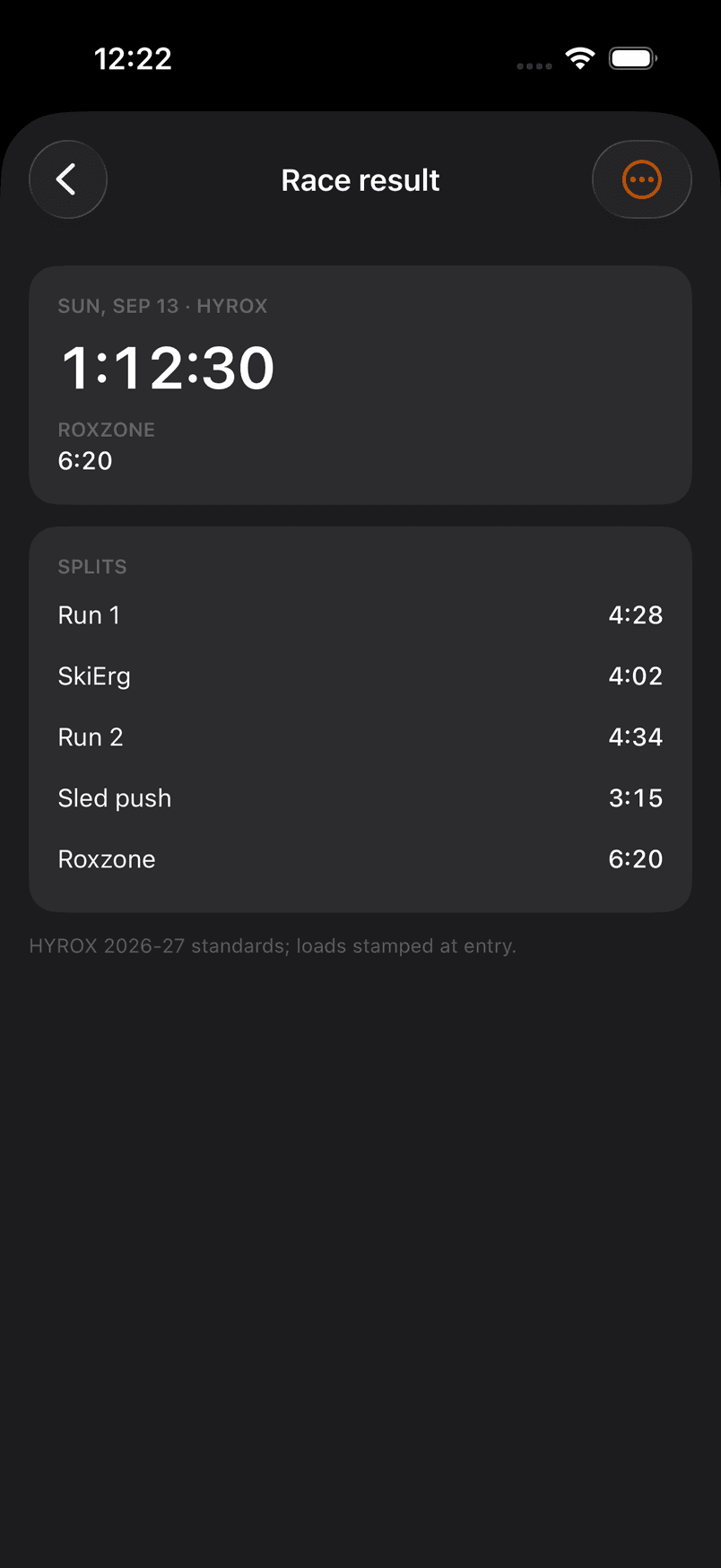
Every run, every station and the roxzone as one row each, typed in from the results page or read from your laps and confirmed by you. A team's splits are shared work, so nothing is compared. The total is checked against the sum — and the app says so when they disagree.
More than one race
A HYROX in October and a marathon in December.
A season holds several dated events. Each A race gets its own phases cut back from race day; two A races inside three weeks are named, and the later one is planned as a B race — raced, not tapered for.
On your Garmin
Sessions Octane lays out land on the watch you already wear.
Turn on “Send Octane workouts to this watch” and Octane's runs and station sessions arrive as structured workouts, each station a named step. Sessions from Runna or another plan are never sent — their own app does that.
Recording a race
How to record a HYROX on a Garmin so Octane can read it.
One lap press per run and per station, in race order, and Octane reads the laps as the race. The step-by-step is on the Learn page.
FAQ
Questions, answered.
I do HYROX. What does Octane read from a simulation?
Each run and each station, from your lap presses or the step markers of a session Octane sent to your watch. Every station is read against your own earlier sims at the same load, and the late runs against the early ones — held, slowed or faded. It never ranks a station as a weakness and never says why.
Will Octane move my intervals to another day?
Not on its own. When a morning asks for less, Octane says what today's session should become — shorter, easier, or a recovery day — in the plan's own units. Moving a session is yours: any Octane session can be moved, skipped or restored from the plan, and a watch that receives Octane's sessions follows. Sessions from Runna or another plan are moved in their own app.
Is it a training plan?
Not unless you ask for a season. Octane reads the plan you already have, from Runna's private calendar link, a coach's calendar link, or typed in. With Pro you can have Octane lay out a season around the events you name; the morning decision still only ever reduces what is on the calendar.
What's free, what's Pro, and what does it cost?
Free collects — connections, logging, workout numbers, the decision and its buttons, the check-in. Pro interprets — the Why, the session read, the morning after, the brief, the Stack response, the season — at $14.99/mo or $99.99/yr with a 14-day free trial. Founding is $69.99/yr.
Bring the sim. See it station by station.
Free to start. iPhone, iOS 18 and up.