Garmin
Garmin gives you the data. Octane gives it context.
Your watch knows your run and, when it stays on, your night. It doesn't know your plan, your ring, what you ate, how you said you feel, or which session this week is the one worth protecting. Octane reads Garmin with all of that beside it.
Free on the App Store · 14-day Pro trial · iPhone, iOS 18+
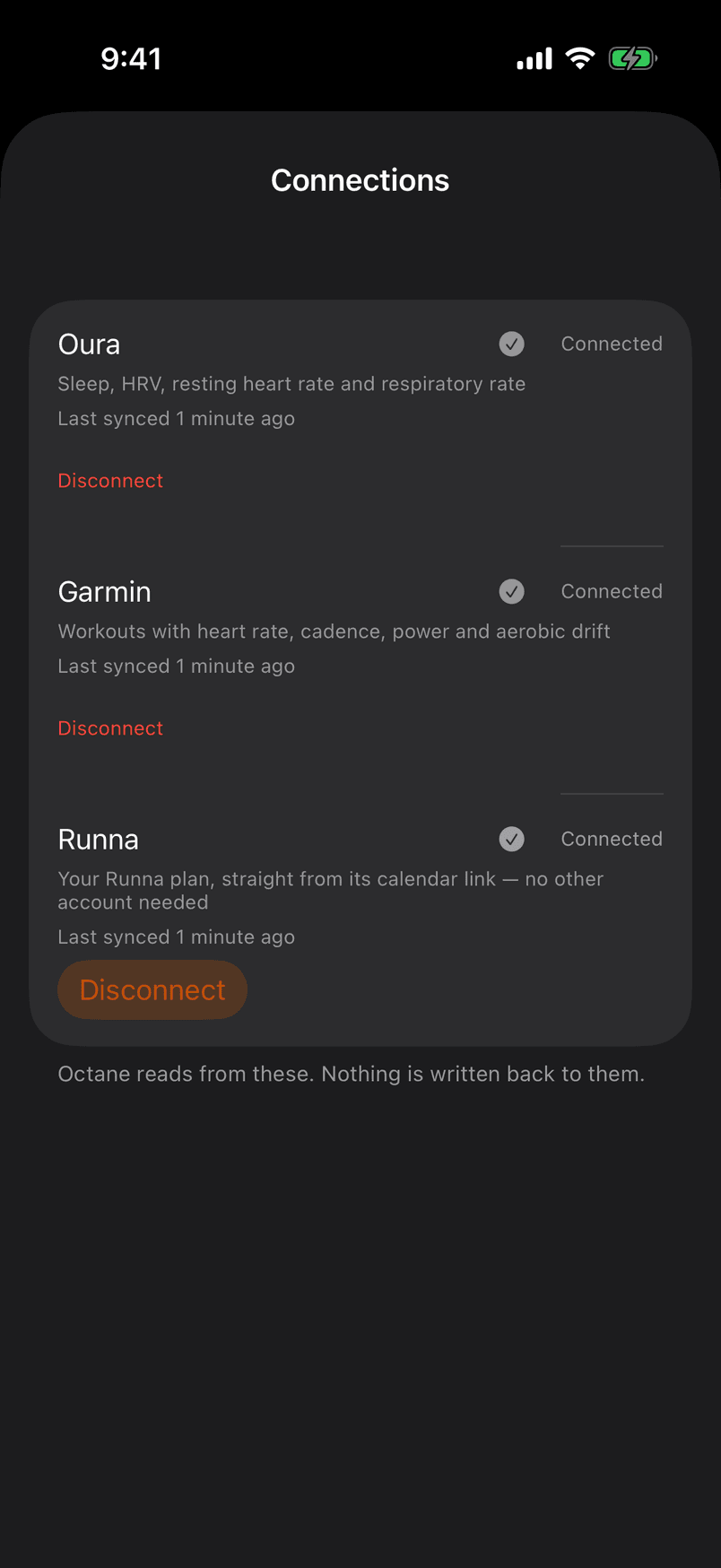
What Octane reads
Every lap, as your watch recorded it.
Per lap: time, distance, heart rate, why the lap ended and which step of the workout it belonged to. Per session: cadence, vertical oscillation, ground contact time, step length and power when the watch measured them — null when it didn't, never zero. The per-second stream is derived once and discarded.
Per session, when measured
- “Heart-rate drift across the work”
- “The split between halves”
- “How the last stretch held”
- “Heart rate one minute after”
- “Interval consistency”
Octane reads from your Garmin. Nothing is written back to it — except the sessions you ask it to send.
When the watch stays on
The night, from the wrist.
Sleep, breathing rate, resting heart rate and HRV arrive each morning for an athlete who sleeps in the watch. Wear a ring as well and Octane reads one source per measurement per day — the device that was on you all night first — and names the one it read.
Prescribed against actual
Each lap lined up with its step.
A tempo's warm-up, work miles, rest and cool-down are matched to the laps that recorded them, so the read is about the work — “Tempo miles: 8:32, 8:22, 8:12 — each faster than the last.” — and the execution line says whether the plan was met, in words.
Prescribed · warm-up 1.5 mi · tempo 3 mi @ 8:20–8:50/mi · rest 2:30 · cool-down 1 mi
Prescribed
- Warm-up1.5 mi
- Tempo3 mi @ 8:20–8:50/mi
- Rest2:30
- Cool-down1 mi
Actual, lap by lap
- 1 mi10:46 146
- 0.5 mi6:14 151
- 1 mi8:32 167
- 1 mi8:22 177
- 1 mi8:12 183
- Rest2:30 152
- 0.75 mi9:09 157
STRONG EXECUTION — ELEVATED RECOVERY COST
What happened
- Tempo miles: 8:32, 8:22, 8:12 — each faster than the last.
- Executed to plan — 97% of the planned distance.
Why
- Across the tempo miles, heart rate climbed from 167 to 183 bpm while pace moved from 8:32 to 8:12.
What changes
- Tomorrow: Tempo / intervals — one of the week's key sessions. Octane re-checks your recovery in the morning.
Recording a HYROX
There is no HYROX profile on a Garmin. There doesn't need to be.
Record the session as a run with a lap press at every change — each run leg, each station — and Octane reads the laps as the race: sixteen segments, each against your own earlier sims. A missed press is named and left out, never guessed.
Send to Garmin
Octane's sessions, on the watch you already wear.
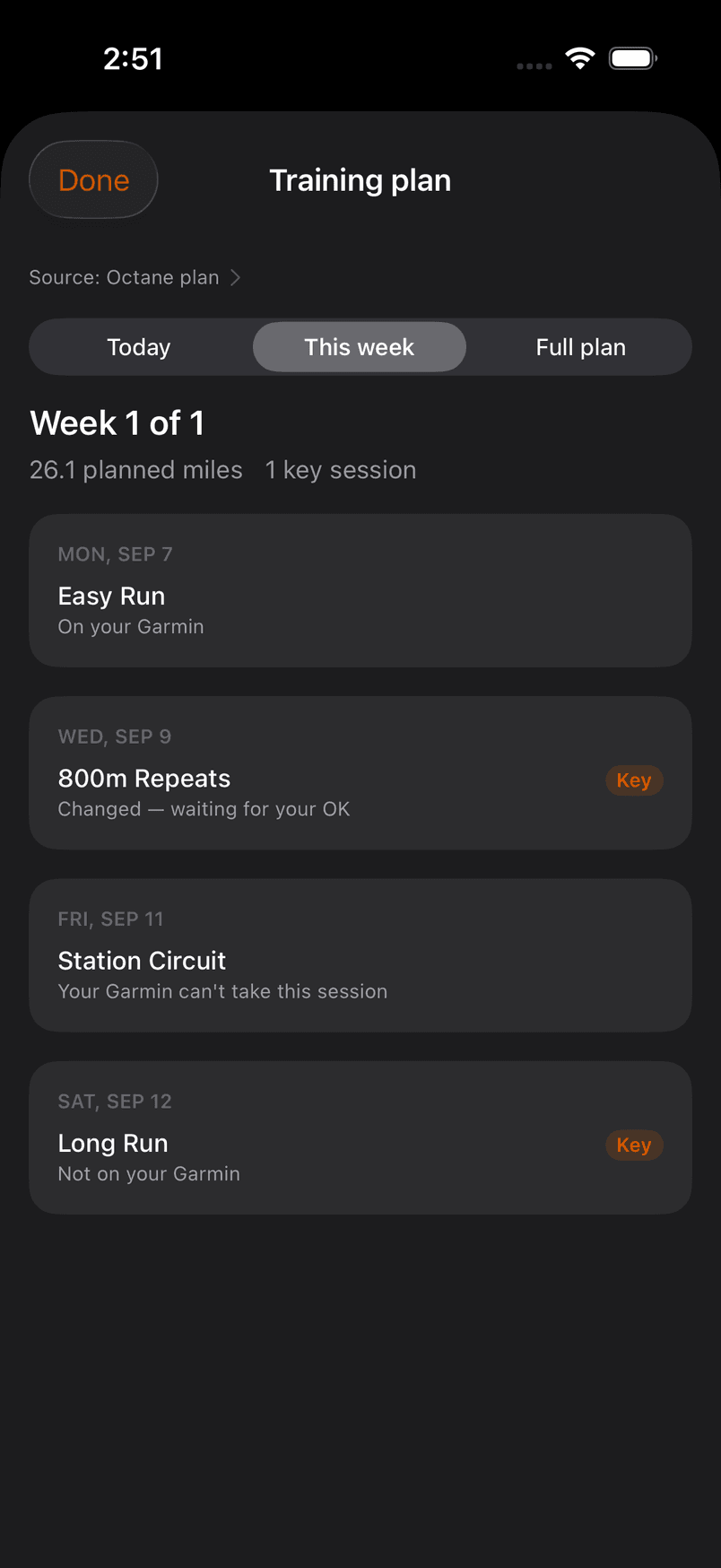
Turn on “Send Octane workouts to this watch” and the week's Octane sessions arrive as structured workouts — a run with its paces, a station session with each station a named step. On the plan, every session says where it is.
What the plan says under each session
- “On your Garmin”
- “Sending to your Garmin”
- “Changed — waiting for your OK”
- “Not on your Garmin”
- “Done on your Garmin”
Runs and station sessions from an Octane plan go to your watch. Sessions from Runna or another plan are never sent — their own app does that. A same-day change waits for your OK on Today before the watch is touched; a future-day change updates in place.
Two copies of one run
Counted once. Kept, not deleted.
A run that reaches Octane twice — from the watch and again through Apple Health — is counted once. The recording it was not read from stays on the record. The richest recording wins, and which one that is depends on the sport.
FAQ
Questions, answered.
Doesn't Garmin already do this?
Garmin is one of the best sources Octane has. It knows your run and, if the watch stays on, your night. It doesn't know your Runna plan, your ring, what you ate, how you said you feel, or that Sunday's long run is the one worth protecting. Octane reads Garmin in that context.
I wear two devices. Does Octane average them?
No — averaging is how a real signal disappears. Octane reads one source per measurement per day: the device worn overnight for sleep, HRV and resting rate; the one worn all day for steps and energy; the richest recording for the session. It names the one it read, and the others stay on the record. Which one it reads is a rule about what a device is for, never a verdict on which device is right.
I only have one device. Is something missing?
No. One is the ordinary case and the whole product works on it. Reading one source per measurement is what stops a second device from making things worse — it is not a reason to buy one.
Will Octane move my intervals to another day?
Not on its own. When a morning asks for less, Octane says what today's session should become — shorter, easier, or a recovery day — in the plan's own units. Moving a session is yours: any Octane session can be moved, skipped or restored from the plan, and a watch that receives Octane's sessions follows. Sessions from Runna or another plan are moved in their own app.
Connect the watch. Keep everything else.
Free to start. iPhone, iOS 18 and up.